Create your individual account
Your account lets you find regulations, ask questions and study the modules included in your pricing plan. For Enterprise access, follow your organisation’s invitation instead.
Choose your access
Registration starts with your pricing plan and any package selection it requires.
-
Open registration .
-
Select Choose Free, Choose Academic or Choose Professional. For a paid pricing plan, check the displayed prices and select Monthly, 1 Year or 2 Years.
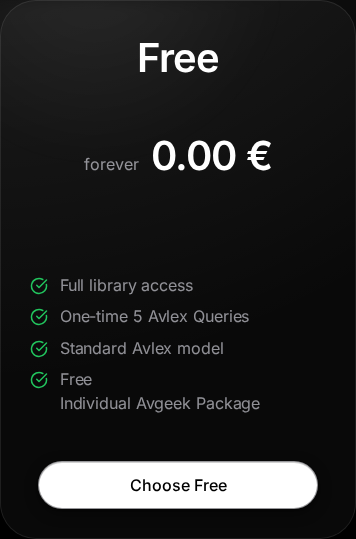
Free plan selection during registration. 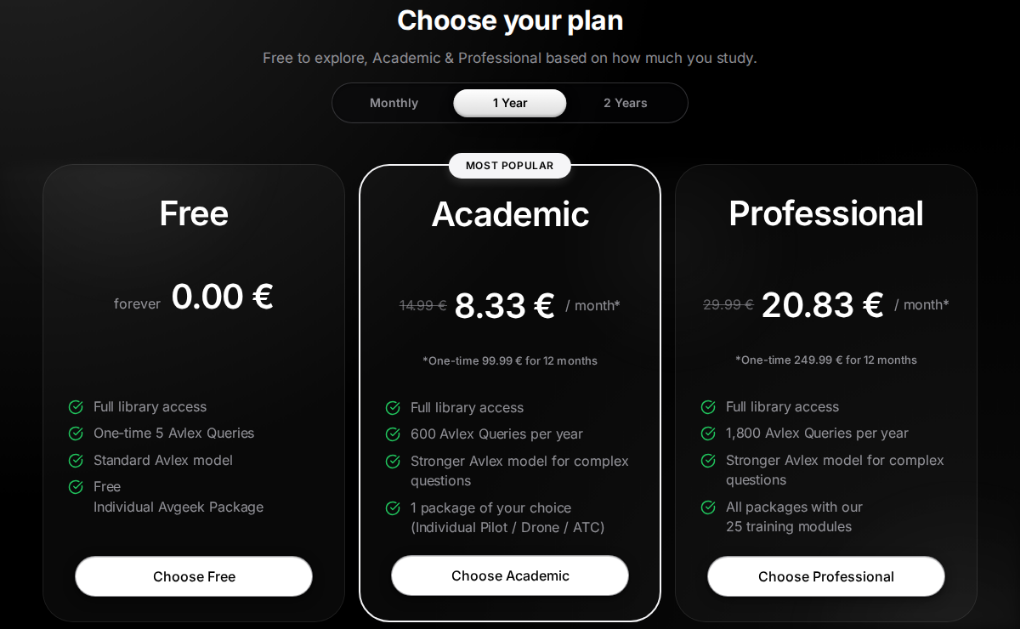
Pricing plans at the start of registration. -
With Academic, select a package card to expand its description and module list, then select Continue below the cards. Switch to Professional returns to pricing plan selection and highlights Professional; it does not buy the plan. Professional includes all modules; Free uses the Individual Avgeek package.
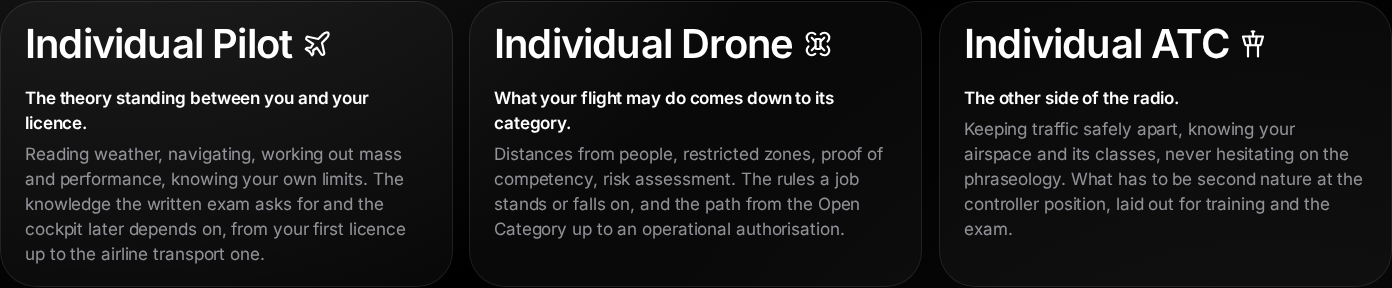
Available Academic packages. -
Sign up with Apple or Google. Alternatively, enter your email address, create a password in Set password and meet every requirement in the checklist. Select Create Account.
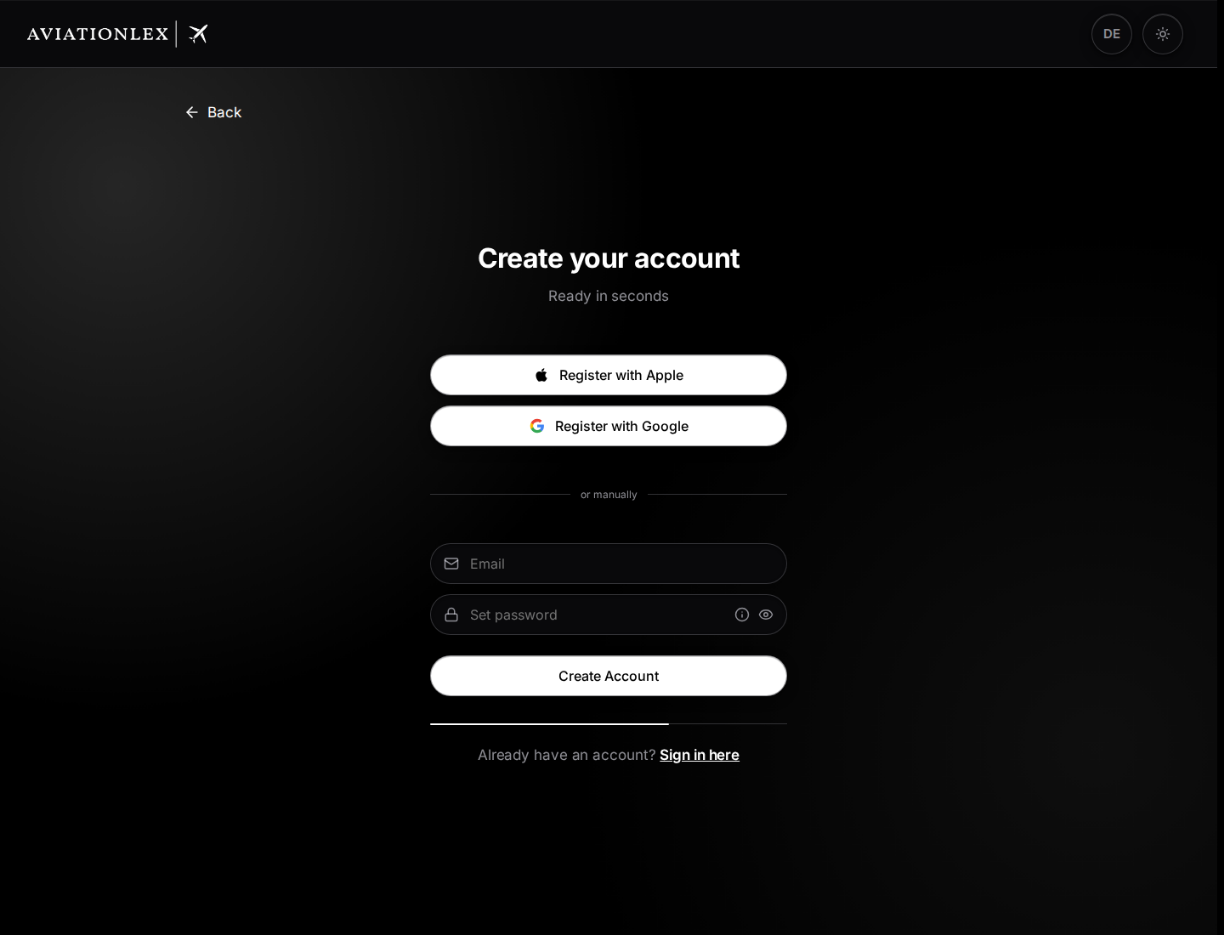
Empty registration form after choosing Free. -
If you see Almost there!, open the confirmation email and follow its link. Back to Login takes you to sign-in.
Complete your details
After signing in, finish any remaining registration steps.
- Fill in First name and Last name.
- Select your Country of origin and Date of birth. You must be at least 18 to register. You can leave Mobile number (optional) blank.
- Read the linked Terms of Service, Right of Withdrawal and Privacy Policy. Accept the required declaration. Consent to product emails is optional.
- For Free, select Finish & start. For a paid pricing plan, select Continue to payment and complete the purchase in checkout.
Check your spam folder if the confirmation email does not arrive. Use the same provider and email address when signing in later.
A package groups training modules. Your pricing plan determines access and allowances. An aviation profile describes your licence or training context. An Enterprise role determines your permissions within an organisation.
Return to sign-in
The Sign in here link below the registration form cancels your current registration steps and opens sign-in.
If you have entered details, Cancel registration? asks you to confirm. Cancel and sign in discards those entries; Continue registration keeps you in the form. This clears the browser’s registration draft and signs out an existing session on this device. It does not delete an account you have already created. Signing in with an unfinished account returns you to the remaining registration steps. On Almost there!, Back to Login takes you to sign-in without this confirmation.