Export your data and request account deletion
Account deletion permanently removes your account. If you only want to end a paid pricing plan, follow the cancellation guide instead.
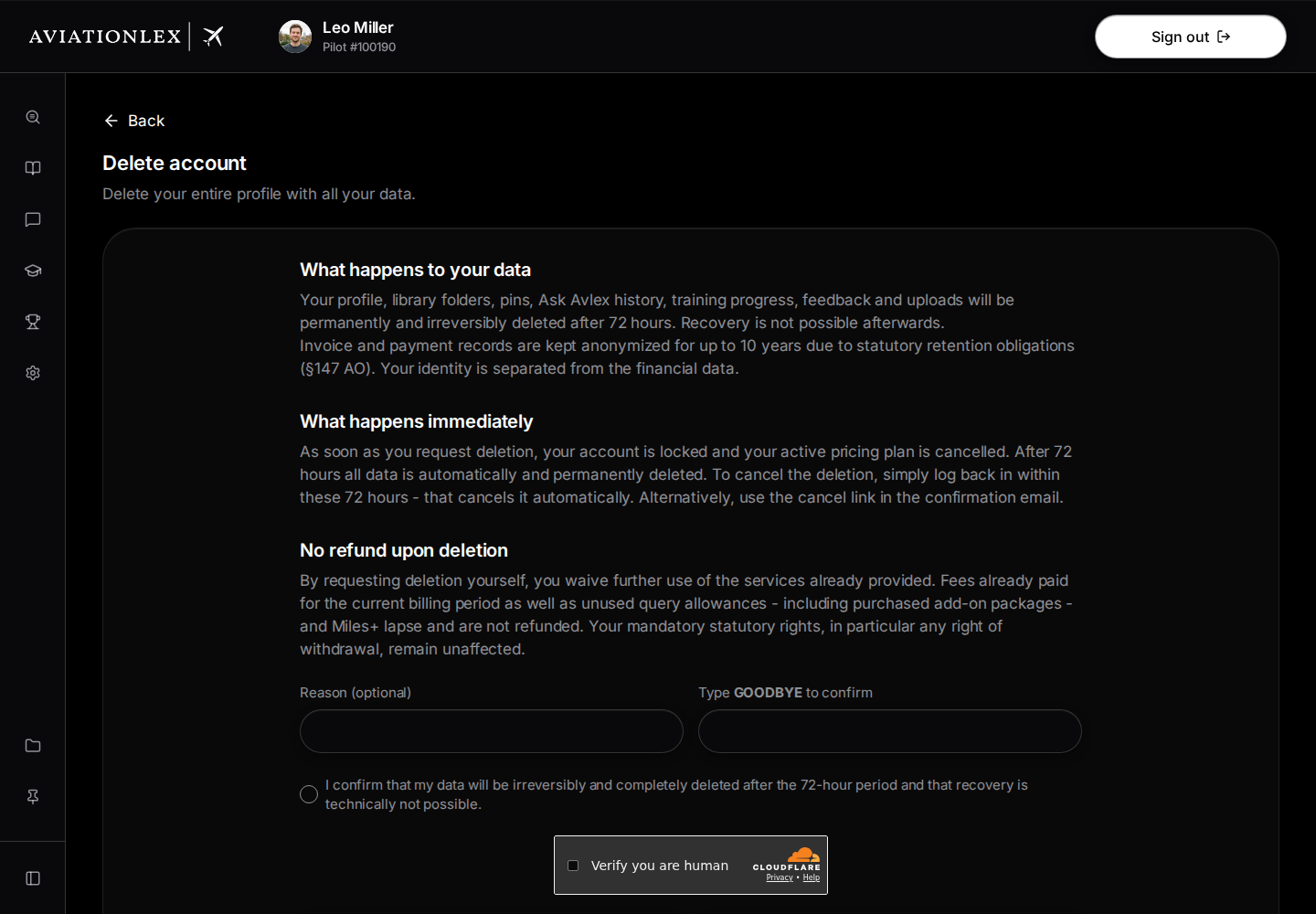
Download your data first
The deletion page offers a JSON export before you submit a deletion request.
- Sign in and open Delete account .
- Read the page’s notices about deletion, services and data.
- Choose Download my data (JSON) while the request form is displayed.
- Keep the downloaded file somewhere secure.
The export lets you save the account data offered before making the request. It cannot restore a deleted account.
Request deletion
The request form asks you to confirm that you want to delete your account.
- Enter a Reason (optional) if you wish.
- Type GOODBYE in the confirmation field.
- Read the consent statement and select its checkbox if you want to request deletion.
- Choose Request account deletion.
- Read the confirmation. You will then be signed out.
- Open the confirmation email and follow its link. This click starts the 72-hour period.
The deletion period does not start until you confirm the link. Once deletion is scheduled, the page shows the deletion date where available. The account cannot be recovered after final deletion.
Check or withdraw the request
Sign in again to check the request status and the cancellation options offered. For a scheduled deletion, the page offers Cancel deletion & reactivate. Use it if you want to keep your account, then check its status. Also follow the cancellation guidance in the email.
If the confirmation email is missing, the view for an unconfirmed request offers Resend. Contact support if the email still does not arrive or the status remains unclear.
Organisation account
If you belong to an organisation, the page shows a notice that your organisation manages the account. It does not offer the self-service deletion request. Contact your administrator or support to arrange removal.