Change your pricing plan
Your pricing plan determines access to training modules and your Ask Avlex allowance. A package sets your learning area. Your profile describes you; it is separate from your pricing plan.
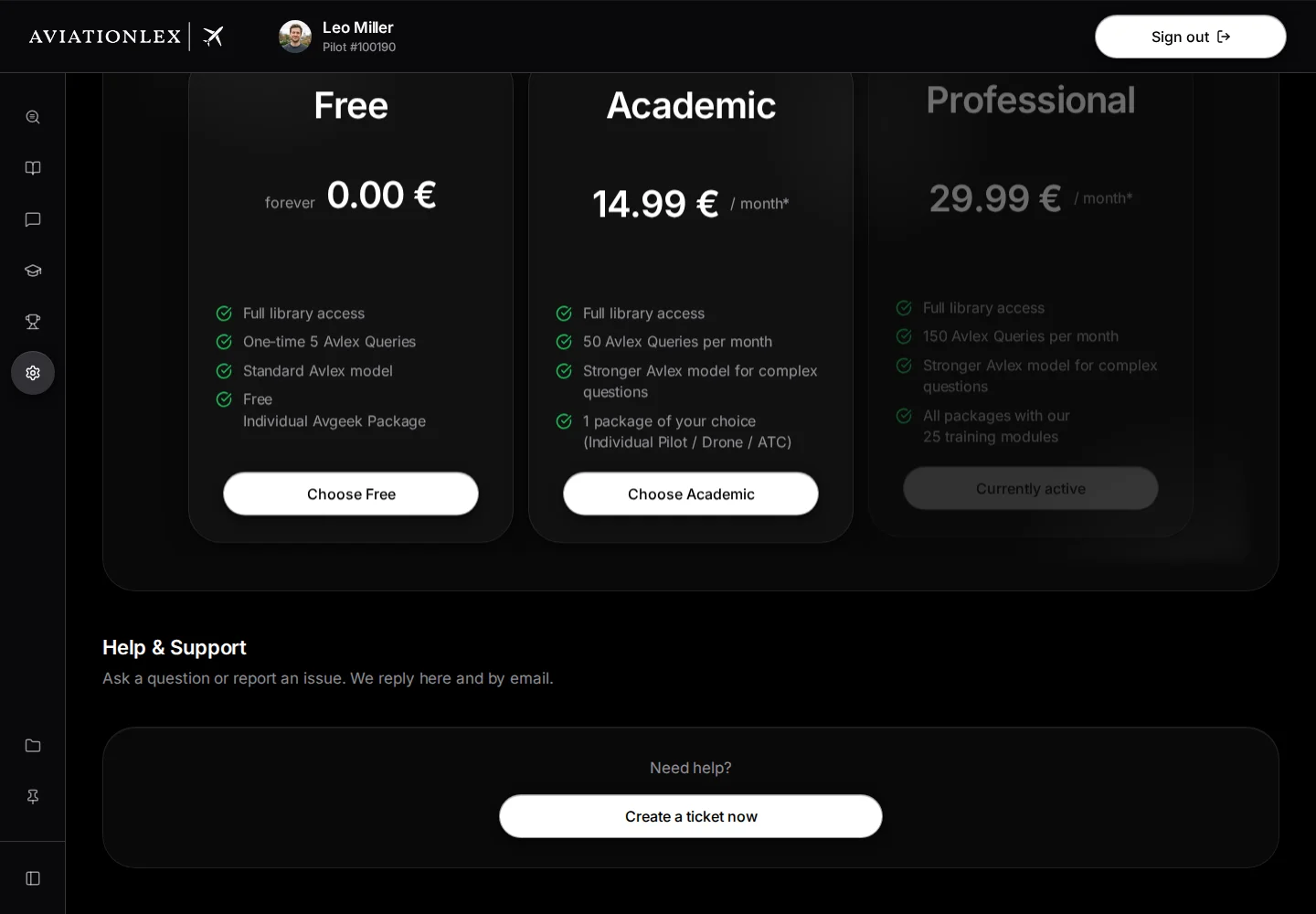
Compare the available plans
The comparison in My Account shows current prices, billing periods and included access.
-
Open My Account .
-
Check the details shown for your current plan and allowance.

Quota after one question: 1 used, 149 remaining, 150 total. -
Select Compare Pricing Plans Now.
-
Choose an available billing period. Compare the price, included modules and question allowance on each tile.
-
Select Choose Academic or Choose Professional. Your existing plan and billing period are marked Currently active.
-
Academic adds a Choose your package step. Select an available package, then Continue.
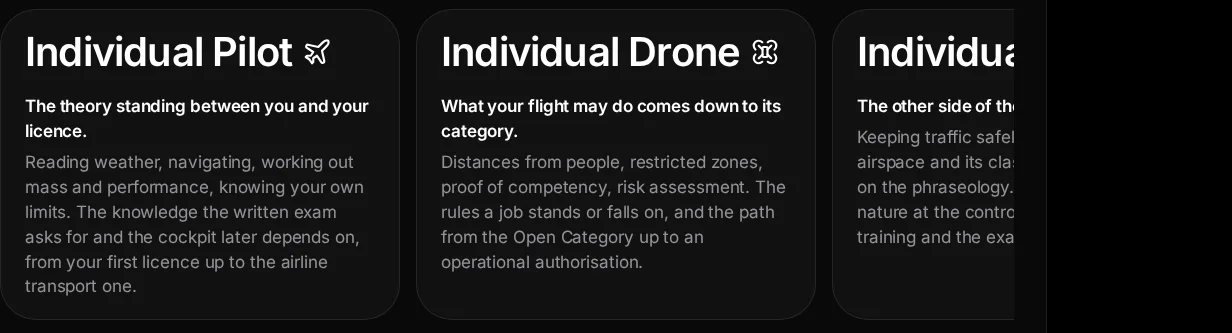
Academic package selection with Pilot, Drone and ATC, before any confirmation. -
Read Change plan?. Select Cancel to stop or Continue to Stripe to open the payment provider in the same browser tab.
-
Check the amount, term and change conditions before confirming there. Return to My Account and check the updated details.
The cross at the top right of the comparison (Close) hides the plan tiles. In the Academic package step, Back at the top left returns to plan selection.
Academic includes one package and its training modules. Professional provides broader module access. Use the current offer in the app and the payment summary at Stripe for prices and allowances.

Choose a billing period
Academic and Professional are available monthly, for 1 year or for 2 years. The prices of the three periods are shown in the comparison under My Account.
- Monthly: The pricing plan renews monthly until you cancel.
- 1 year: After 12 months the subscription continues at the monthly price of the same package and can then be cancelled monthly.
- 2 years: The subscription ends by itself after 24 months and does not renew. My Account then shows “ends on …” with the offer to extend.
Your Ask Avlex allowance follows the billing period. With a monthly period it applies for one month, with 1 year for twelve months and with 2 years for 24 months. Free includes 5 questions once, and they do not start over.
Change plan or billing period
Every change runs through the confirmation page at Stripe. When it applies depends on the amount:
- Higher amount: The new pricing plan applies immediately. Stripe credits the remaining time of your current subscription.
- Lower amount or shorter billing period: The new pricing plan applies only at the end of the current period. Until then you keep your current pricing plan with all modules and questions. My Account shows the change as scheduled, with a date.
- Free: Changing to Free is a cancellation and takes effect at the end of the current period.
If a subscription is already running, the app does not create a second one and takes you to the Stripe customer portal instead. If your subscription was started through Apple, the app does not offer a purchase here. Change or cancel an Apple subscription with Apple.
Keep your learning progress
Changing plan does not delete learning progress. Lesson progress, attempts, daily streak and Miles+ belong to your account, not to the pricing plan. They are deleted only if you delete your account.
Which modules you can open depends on the package in your pricing plan. Without a paid pricing plan only the Avgeek module stays open. Progress already saved in other modules is kept, but those modules open again only when your pricing plan includes them.
For the Ask Avlex allowance, the limit of the new pricing plan applies immediately after the change. Questions already used in the current period stay counted, and the period does not start over. After a downgrade, nothing may be left at first. Purchased extra questions and Miles+ bonus questions are added to the limit and are not lost when you change.
Choose your next step
To cancel, choose Free in the comparison and follow the cancellation guide. An add-on extends access; it is separate from a package. If the app offers an add-on with Buy Now, check its own price and scope before paying.
Organisation members use organisation billing. A personal pricing plan does not create Enterprise seats.
If the price or customer portal is unavailable, read the message and check your account before trying again. Report a continuing problem through Help & Support.