Understand an answer or refusal
The notice above an answer explains its basis. Use it to distinguish a sourced passage from an answer based on expert knowledge.
Check the basis
The notice and source pills show where the answer’s information comes from.
-
Read the notice above the answer. From regulation gives the number of displayed sources. From expert knowledge identifies a different basis.
-
For a regulation-based answer, expand each source pill you need.
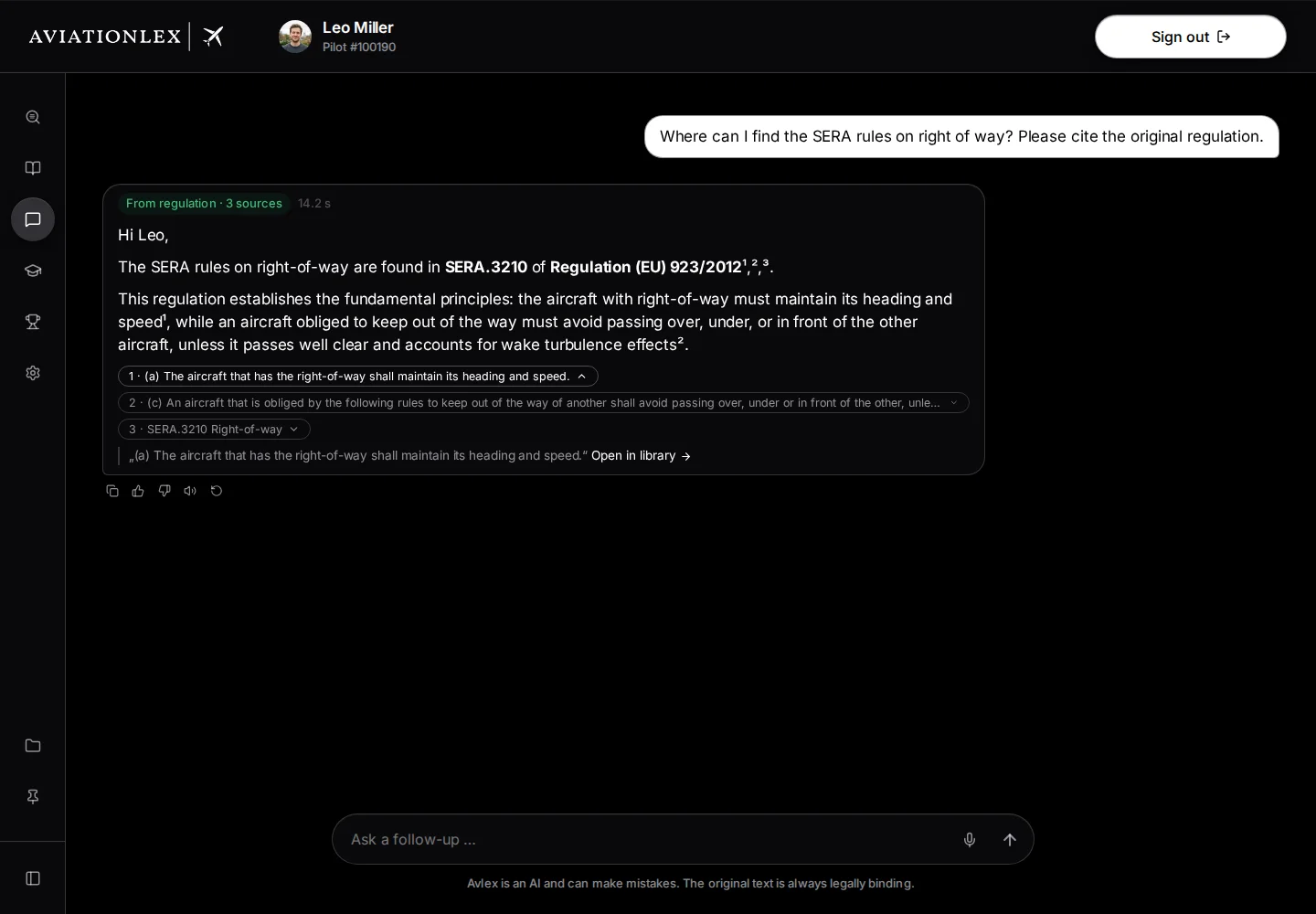
Original text in the expanded source pill. -
Choose Open in library to read the original in context.
-
Check that the regulation and its version apply to your circumstances.
A source reference alone does not substantiate every statement in an answer. AI can make mistakes. Answers do not replace the original regulations, individual legal advice or the checks required for your operation.
When no matching answer is found
A refusal means Ask Avlex could not find a matching answer in the available library material. It does not mean that no rule applies to your case.
- Read the refusal and any Related regulations offered.
- Expand a suggested regulation and open it in the Library if needed.
- Choose Rephrase, if offered. Your original question returns to the text field.
- Add the authority, licence or aircraft type and a known regulation. Send the revised question.
You can also look for the document directly in Search.
The buttons below a refusal appear only on the latest answer, when no answer is running and the original question is available. Answer with expert knowledge also requires an unexpired authorisation; otherwise only Rephrase appears. It requests another answer based on expert knowledge. Check it carefully; it does not replace a relevant original passage.
When your allowance is exhausted
An exhausted allowance produces a card in the answer area, rather than a remaining-question counter below the input.
The card says You’re out of questions. Choose Upgrade plan at the bottom of the card to open My Account with the pricing plans. Check your current plan and the available options there. The line below the question field is the AI notice; it does not show your remaining allowance.

Report an error
Choose Not helpful on the affected answer. If you need assistance, include your question, the incorrect statement and the source passage in a support ticket. These details help support check the error.