Update your account details
Keep your name and contact details current so your account and support requests can be identified.
Change personal details
The pencil at the top right of the name card opens Edit Profile below that card.
-
Open your account .
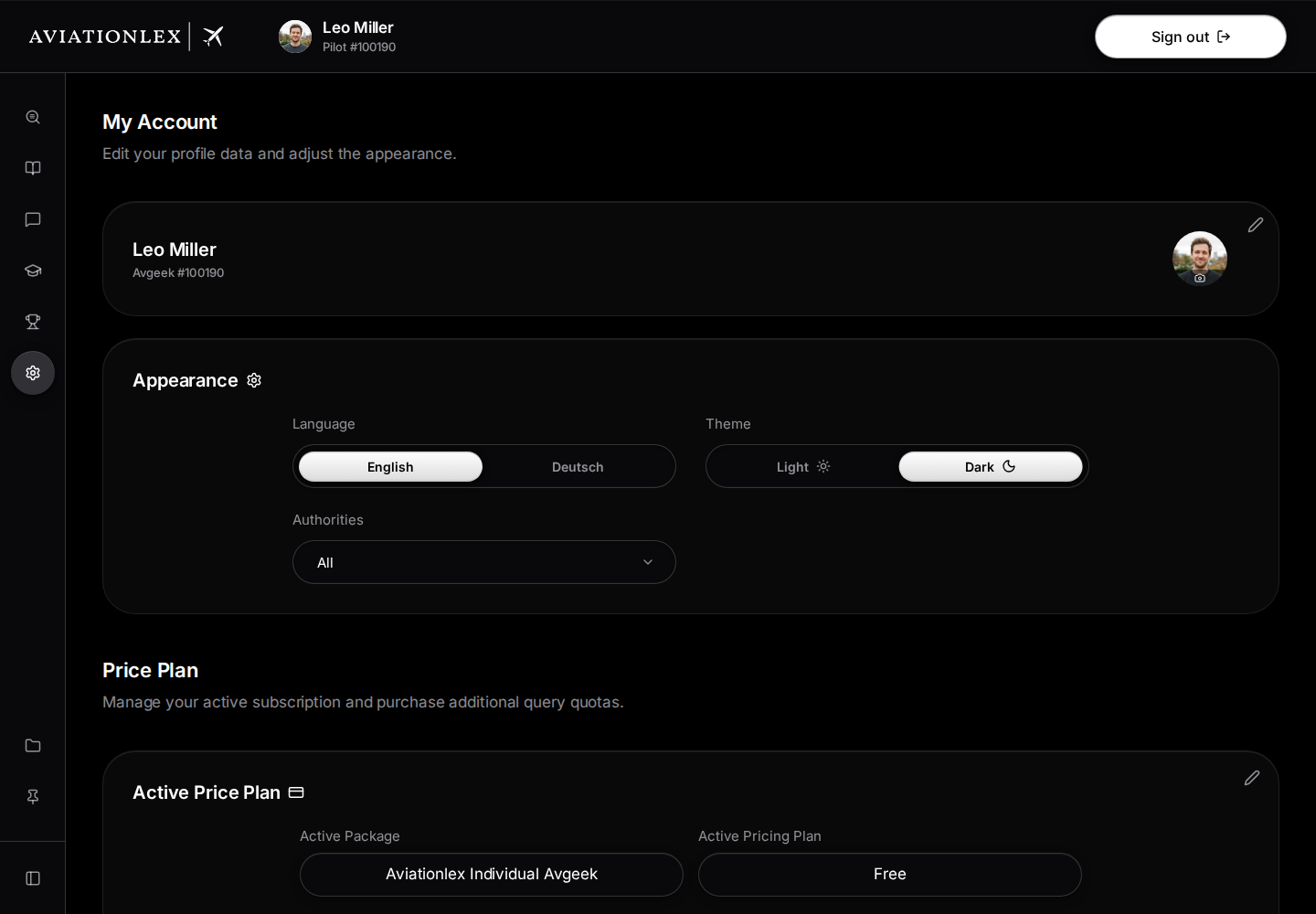
Name and profile photo in My Account; the pencil opens the account fields. -
Select the pencil at the top right of the name card.
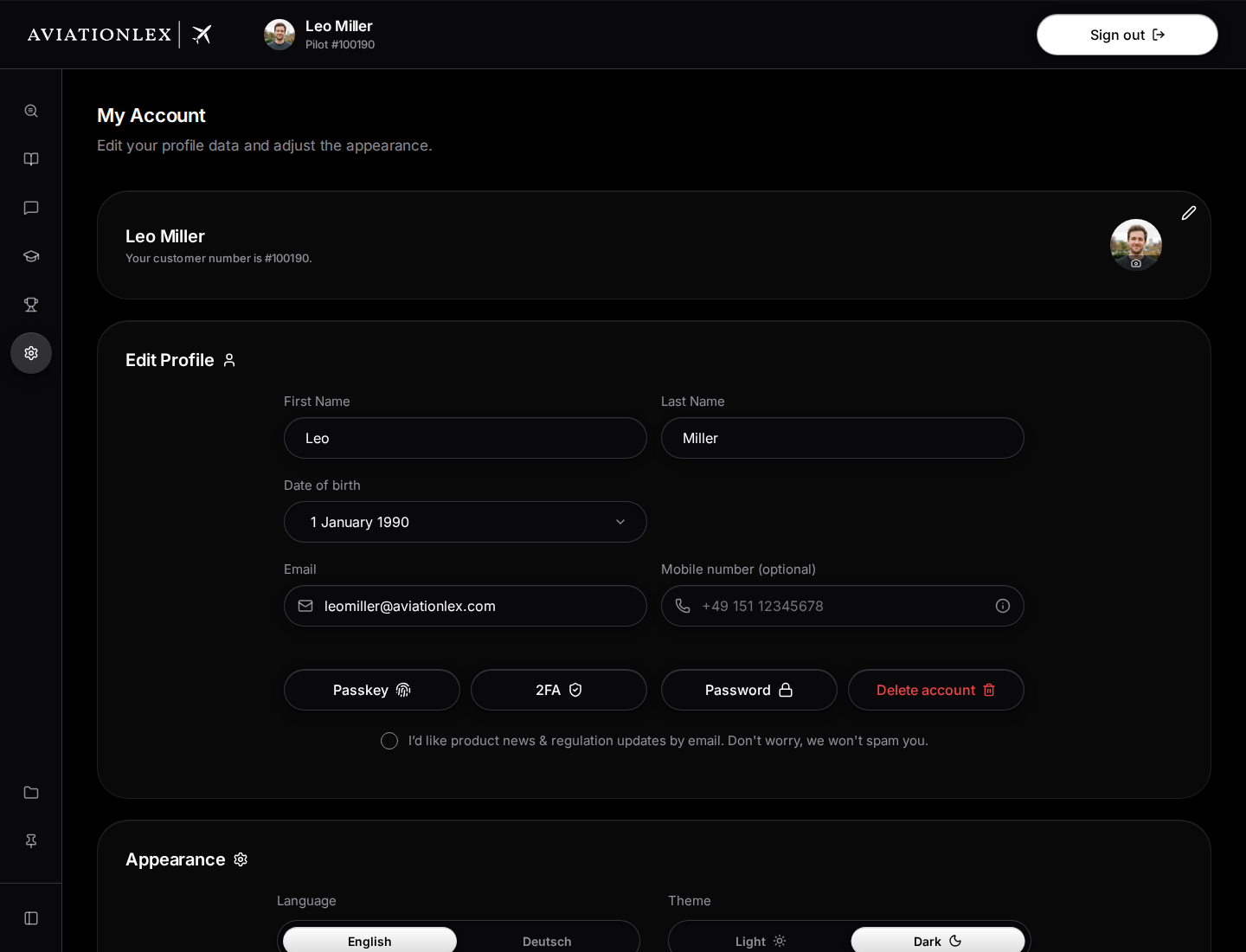
Open profile fields with name, email and mobile number field. -
Update First Name, Last Name, Date of birth or Mobile number (optional).
-
Wait for Changes saved before leaving the page.
-
To change your profile picture, click the picture or person icon and select a file.
Valid changes to your name, date of birth and mobile number save automatically. There is no save button for these fields. Correct any validation errors shown. Use an international format for your mobile number, such as one starting with +49. The number helps match a phone support call to your account.
Change your email address
The Email field starts a change that you complete using the confirmation email.
- Edit the Email field.
- Leave the field so the app can request the change.
- Check for Confirmation email sent.
- Follow the confirmation instructions sent to you.
Typing a new address alone does not complete the change. Keep access to the email accounts you need until confirmation is complete.
Choose language and appearance
In the Appearance card below your account fields, under Language, choose English or Deutsch. Under Theme, choose Light or Dark. Your choice takes effect directly. Set regulation sources using the authority selection.
Below your name, an Individual account shows Pilot, Drone, ATC or Avgeek, followed by your customer number. These identify pilots, drone users, air traffic controllers and aviation enthusiasts. The label identifies your learning area; it is separate from your Enterprise role. An Enterprise account shows Enterprise here. While you edit your account details, this line shows your customer number as a sentence instead. A package groups training modules. A pricing plan determines access. Changing your name or contact details does not purchase a different plan. See the security guide for sign-in settings.
Choose email updates
The checkbox below the security controls in Edit Profile controls product news and regulation updates by email.
Select the checkbox to subscribe or clear it to unsubscribe. The choice saves immediately. Wait for Subscribed to newsletter or Unsubscribed from newsletter. If you see Saving failed. Please try again, the app restores your previous choice.
Select the pencil at the top right of the name card again to hide the account fields.